To add filters to your widgets, navigate to the Filters panel on the right side of your screen:
- Click the pencil icon.
- Uncheck the box selecting all options.
- Check the box next to the filters you would like to see in your dashboard.
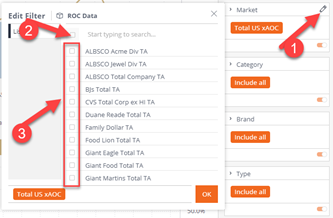
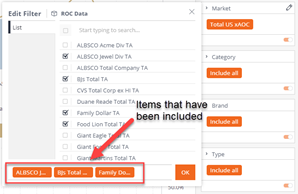
Tip: To show the filters you want to be included in your dashboard, de-select all filters (clicking the top checkbox) and then individually select the filters you would like to add (as shown above). Each time you add a filter, the filter will appear in orange below.
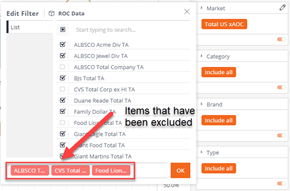
To show the excluded filters, do the opposite – select all filter options, then de-select the filters you do not want in your dashboard. Each time you exclude a filter, they will appear in pink below (as shown below).