A Dashboard is a collection of Widgets.
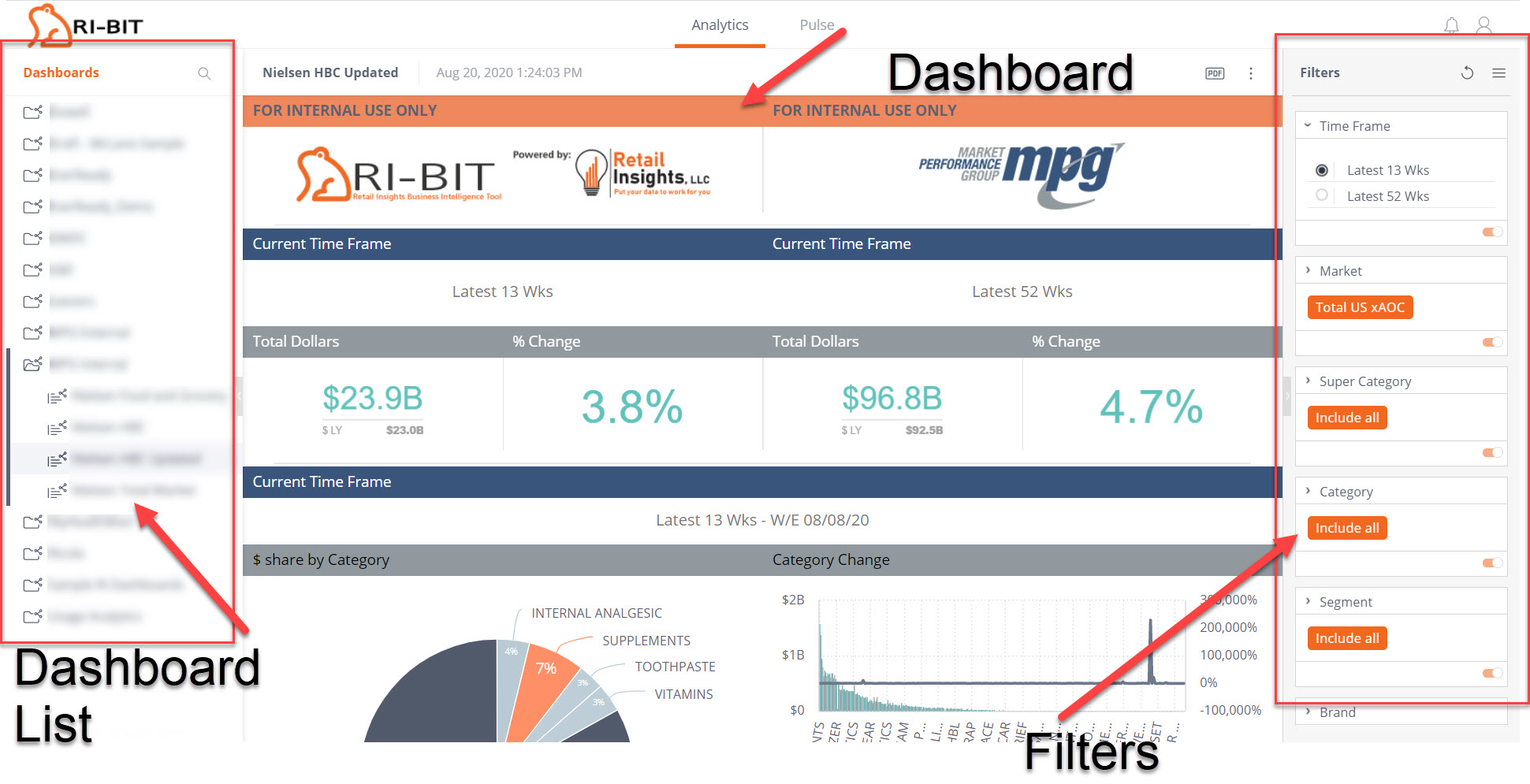
A Dashboard has 3 sections or panes. The Dashboards List and the Filters panes can both be closed to give you a larger view of the dashboard.
- Dashboards List – this is on the left and will list the dashboards available to you
- Dashboard – this is in the center and is your working dashboard
- Filters – this is on the right and shows what filters you have applied to your dashboard
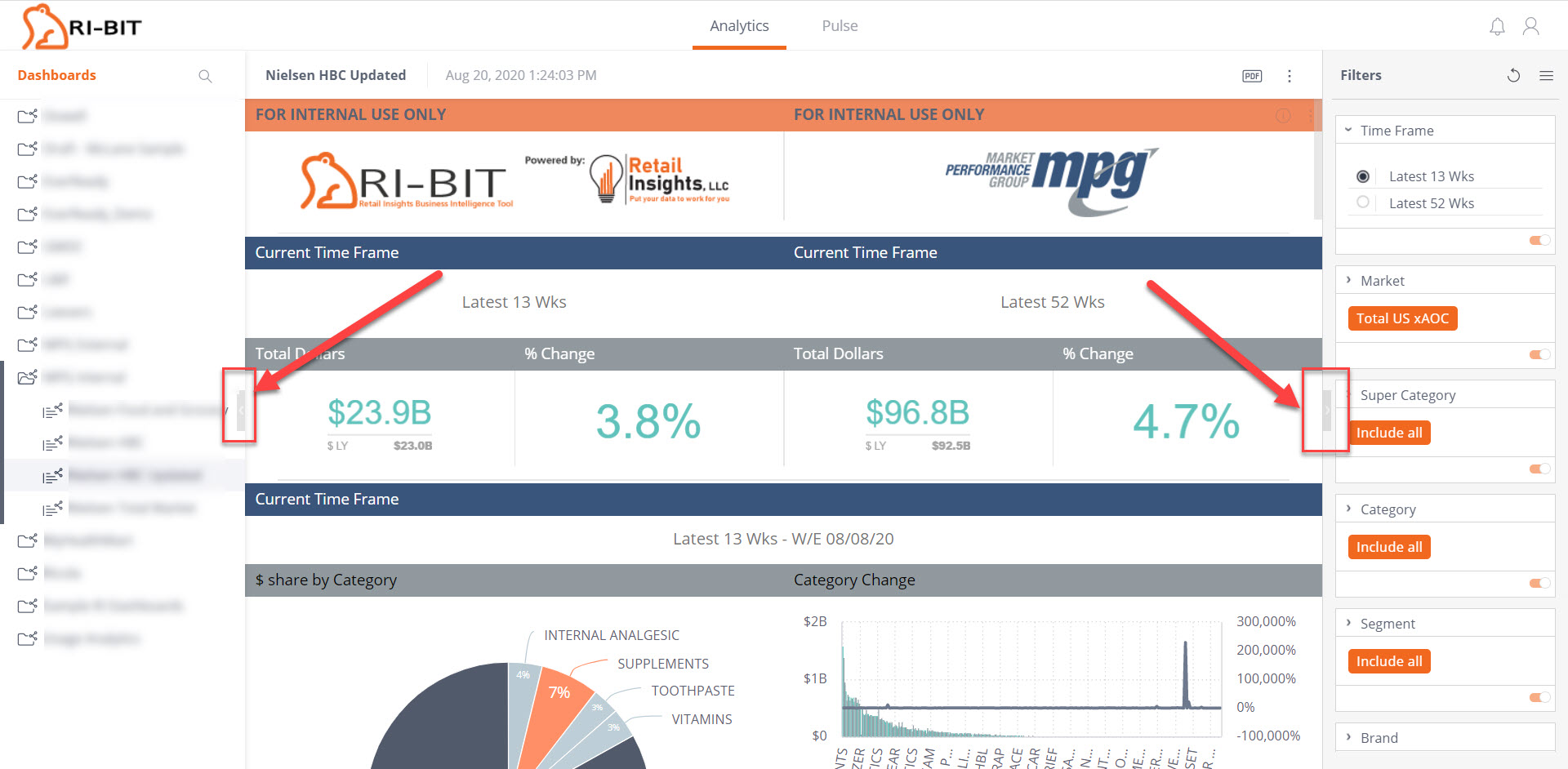
The outside panes, Dashboards List and Filters, can be closed or opened by clicking on the arrows about halfway down the edge of each panel separating it from the dashboard in the center.
In addition to viewing widgets, you can change dashboard filters, drill into dashboards, and export a dashboard or a widget as a PDF or as an image. Some widgets can be exported as CSV files to be used in Excel.